Why VRBO Integrations Still Break PMS Platforms — And What to Do About It
Trustpilot
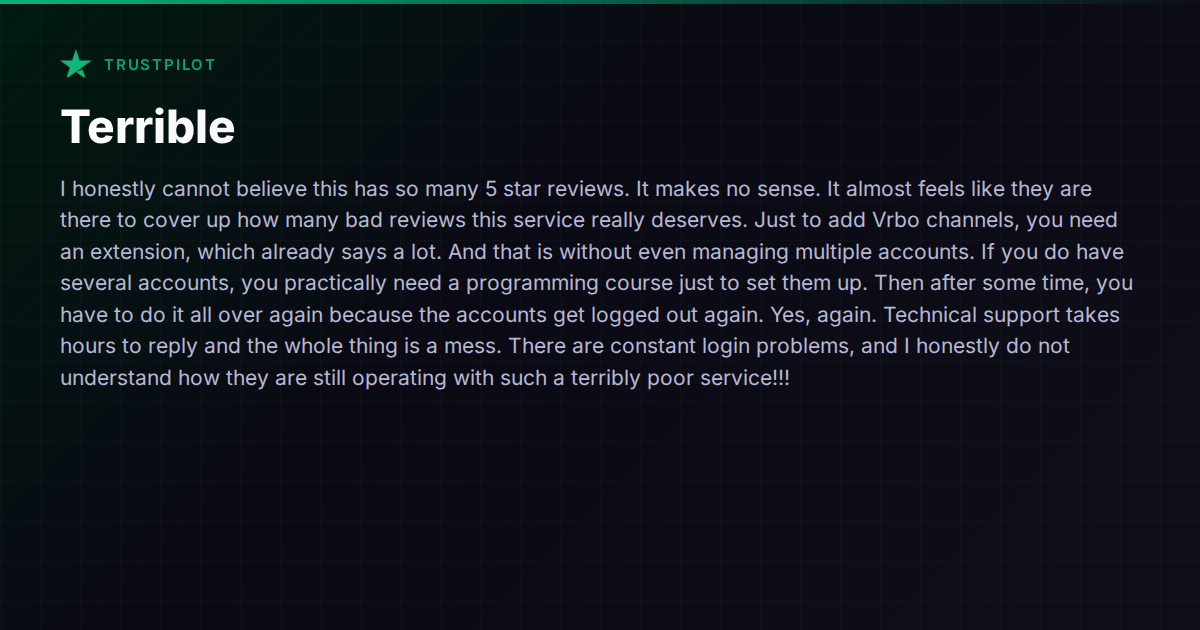
TL;DR: Host is frustrated with Hospitable's VRBO integration requiring extensions, repeated account logouts, slow technical support, and constant login problems across multiple accounts.
If you manage properties across Airbnb and VRBO simultaneously, you’ve probably hit this wall: your PMS handles Airbnb fine, but the VRBO side is held together with duct tape. Browser extensions, repeated logins, mysterious disconnects, and support tickets that go unanswered for hours.
A recent Trustpilot review of Hospitable captures a frustration that runs deeper than one platform:
“Just to add VRBO channels, you need an extension, which already says a lot. And that is without even managing multiple accounts. If you do have several accounts, you practically need a programming course just to set them up. Then after some time, you have to do it all over again because the accounts get logged out.”
This isn’t just a Hospitable problem. It’s a structural issue across the PMS landscape, and understanding why it happens will save you from jumping to a new tool only to hit the same wall.
Why VRBO Is the Problem Child
Airbnb has a mature, well-documented API that most property management platforms integrate with directly. VRBO’s integration story is messier. Depending on the platform and your account type, VRBO connectivity can work through:
- Direct API access — available to platforms with formal VRBO/Expedia connectivity partnerships, but often limited to professional/agency-style accounts
- iCal syncing — simple calendar blocking, but no messaging, no pricing sync, no two-way reservation data
- Browser extensions or screen scraping — where the PMS essentially automates what a human would do in a browser, logging into your VRBO account and pulling data
That third method is what causes the chaos. Browser-based connections are inherently fragile. VRBO changes their login flow, adds a CAPTCHA, updates a cookie policy, or enforces two-factor authentication — and suddenly your PMS loses access. You re-authenticate, it works for a few weeks, then it breaks again. Multiply that by several VRBO accounts and you’ve got an ongoing maintenance headache that no amount of support tickets can permanently fix.
Hospitable, to its credit, is transparent that VRBO requires a browser extension for certain connection types. But the lived experience — re-authenticating constantly, managing multiple accounts through a fragile extension layer — is genuinely painful for operators who depend on VRBO revenue.
The Multi-Account Multiplier
The original complaint specifically calls out the difficulty of managing multiple VRBO accounts. This is a common scenario for property managers who operate under different business entities, manage in different markets, or inherited accounts from owners.
With Airbnb, most PMS platforms handle multi-account setups natively through their API integration. With VRBO, if the connection relies on browser authentication, each account is a separate login session that needs to stay alive independently. When one drops, you might not notice until a booking falls through the cracks.
This is where the “you need a programming course” feeling comes from. It’s not that the host is technically illiterate — it’s that the integration architecture demands ongoing manual intervention that shouldn’t be the operator’s job.
How Different Platforms Handle VRBO
Not all PMS platforms approach VRBO integration the same way:
Guesty has formal connectivity partnerships with VRBO/Expedia and offers direct API integration. For operators at scale, this generally means more stable connections without browser extensions. The trade-off is Guesty’s pricing and complexity — it’s built for larger operators and the onboarding reflects that.
Hostaway also maintains direct VRBO API connectivity and positions itself as having “highest-status OTA connections.” Multiple operators report that VRBO syncing through Hostaway is more stable than extension-based alternatives, though Hostaway has its own pain points around pricing transparency and onboarding (it doesn’t publish prices publicly).
Lodgify offers VRBO integration as part of its all-in-one approach, with a focus on ease of use and onboarding support. The specifics of their VRBO connection method vary by account type, so it’s worth confirming whether your setup qualifies for direct API or falls back to iCal.
Hospitable supports VRBO through its browser extension approach for certain connection types. The platform’s strength is in automated messaging and task management, but as the original reviewer experienced, the VRBO connection reliability can undermine those strengths.
Vanio AI handles VRBO through full API integration using an agency-style connection set up via a VRBO account manager, which avoids the browser extension problem entirely. The connection is server-to-server, so there’s no login session to expire and no extension to maintain. This approach does require coordination with VRBO’s partner team during setup, but once established, it’s architecturally more stable than screen-scraping methods.
The pattern is clear: platforms with direct API partnerships tend to deliver more reliable VRBO connectivity, while those relying on browser-based methods trade stability for easier initial setup.
The Support Response Time Problem
The original complaint also flags hours-long support response times. This is worth separating from the VRBO issue because it compounds the pain — when an integration breaks, slow support turns a 10-minute fix into a day of lost bookings.
Support responsiveness varies wildly across PMS platforms, and it often varies by plan tier. If you’re evaluating platforms partly based on VRBO reliability, also ask:
- What’s the average first-response time on your plan?
- Is there live chat, or only email tickets?
- Do you have a dedicated account manager, or is it general queue support?
- When integrations break, can they fix it on their end, or do they send you a troubleshooting guide?
That last question is the real differentiator. If the VRBO connection is browser-based, the support team often can’t fix it for you — they can only walk you through re-authenticating. If it’s API-based, disconnections are usually on the platform’s side to resolve.
What to Actually Do About It
If you’re currently fighting VRBO integration issues, here’s a practical decision framework:
-
Confirm your connection type. Ask your current PMS exactly how VRBO data flows — direct API, iCal, or browser extension. If they can’t give you a clear answer, that tells you something.
-
Check if you qualify for API access. VRBO’s direct API connectivity often requires a professional/agency account. If you’re running a handful of listings under a personal VRBO account, some platforms can’t offer you the API path regardless of their capabilities.
-
Evaluate the cost of instability. If you’re losing bookings or spending hours per month re-authenticating VRBO connections, that has a real dollar value. Factor it into any platform comparison, not just the subscription price.
-
Don’t assume switching fixes everything. Before migrating, get specific confirmation from the new platform about how they connect to VRBO for your account type. “We support VRBO” can mean very different things depending on the implementation.
-
Consider your VRBO revenue share. If VRBO is 5% of your bookings, a fragile integration might be tolerable. If it’s 30-40%, it’s a business risk that justifies migrating to a platform with direct API connectivity.
The Bigger Picture
The VRBO integration problem is really a story about how PMS platforms handle the messiest parts of the OTA ecosystem. Airbnb’s API is good enough that most platforms look competent. VRBO is where architectural decisions — direct API vs. browser extension, server-to-server vs. session-based — actually show up in your daily operations.
When evaluating any PMS, don’t just check the feature list. Ask how each channel integration actually works under the hood. The answer will tell you more about the platform’s long-term reliability than any marketing page.
For a broader comparison of how different platforms stack up across channel management and other capabilities, the comparison hub is a good starting point.