When Switching Your PMS Costs You Three Weeks of Bookings
Trustpilot
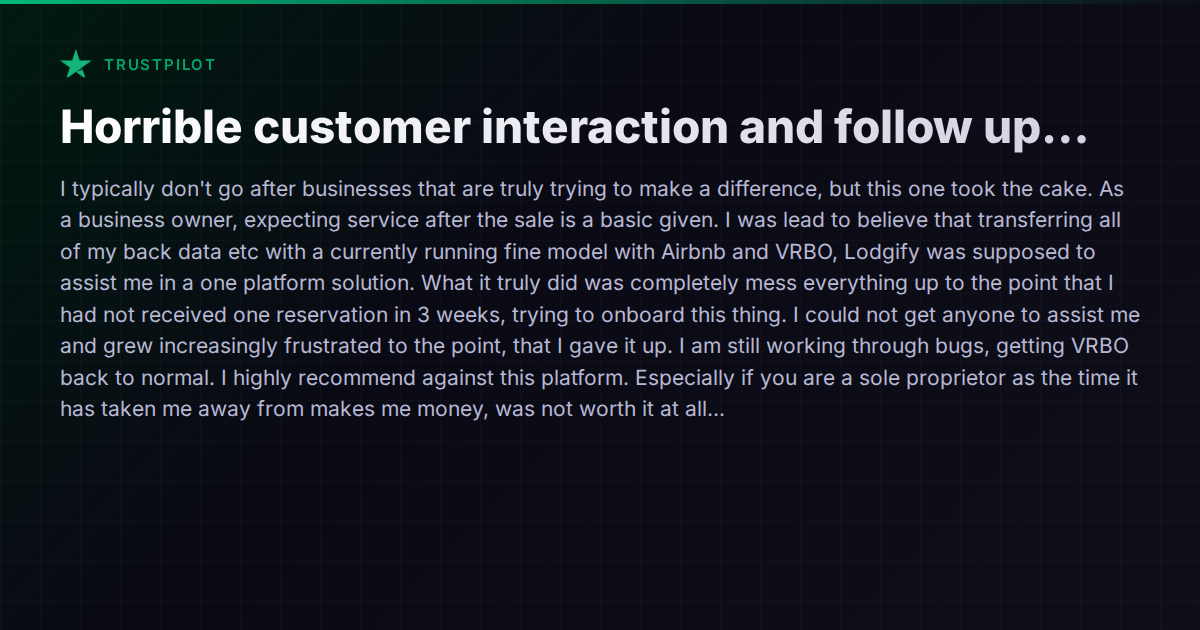
TL;DR: Sole proprietor tried migrating to Lodgify for a one-platform solution but onboarding completely broke her Airbnb/VRBO setup, resulting in zero reservations for 3 weeks and no support to fix it.
A sole proprietor recently shared a cautionary tale on Trustpilot. She had a working setup on Airbnb and VRBO — nothing fancy, but it was generating reservations. She decided to consolidate into Lodgify for a single-platform experience. What followed was three weeks of zero bookings, broken channel connections, and support tickets that went nowhere. She eventually abandoned the migration entirely and spent additional time getting VRBO back to normal.
Her story isn’t unique. It’s one of the most common and most costly failures in the short-term rental tech stack: the botched PMS migration.
The Real Cost of Migration Gone Wrong
When operators talk about switching platforms, the conversation usually focuses on features and pricing. What rarely gets enough attention is the migration itself — the window of time between “I signed up” and “everything works like it used to, but better.”
During that window, a lot can go wrong:
- Calendar sync breaks. Your new platform connects to Airbnb and VRBO, but the two-way sync doesn’t fully propagate. Dates show as unavailable when they shouldn’t be, or worse, available when they’re booked.
- Listings get suppressed. Channel algorithms penalize listings with availability gaps or sudden changes. Three weeks without a booking isn’t just lost revenue — it’s a ranking hit that takes months to recover from.
- API connections conflict. If your old platform’s API credentials aren’t fully disconnected before the new one connects, you can end up with two systems fighting over the same calendar. Double bookings or phantom blocks follow.
- Direct booking links break. If you had a booking widget or direct site through your old PMS, those stop working immediately. Any traffic hitting those pages converts at zero.
For a sole proprietor, this isn’t a minor inconvenience. It’s existential. Every hour spent debugging a channel manager integration is an hour not spent on guest communication, pricing optimization, or the dozen other things that keep a small rental business running.
Why Support Falls Short During Onboarding
The operator in this case specifically called out the lack of post-sale support. This is a pattern that shows up repeatedly in host communities and review sites — not just for Lodgify, but across the PMS landscape.
The root cause is usually structural. Most PMS companies invest heavily in sales (getting you to sign up) and product development (building features), but underinvest in the messy, labor-intensive work of actually getting a new customer’s existing setup migrated without breaking anything.
Onboarding a property manager who already has live listings on multiple channels is fundamentally different from onboarding someone starting from scratch. The migration path requires:
- Auditing existing channel connections and API states
- Coordinating the disconnect from the old platform
- Verifying calendar accuracy post-connection
- Monitoring for sync issues in the first 48-72 hours
- Having a rollback plan if something goes sideways
Many platforms offer “personalized onboarding” — Lodgify, for instance, advertises free one-on-one onboarding support. But the gap between a guided walkthrough of the dashboard and actual hands-on migration support is enormous. A 30-minute onboarding call doesn’t help when your VRBO listing has been invisible for two weeks and you can’t reach anyone who understands the API-level problem.
How Other Platforms Handle This
To be fair, this isn’t exclusively a Lodgify problem. But some platforms handle migration risk better than others.
Hostaway has built a reputation for relatively strong onboarding support for mid-size operators, though their pricing is quote-based and the experience can vary depending on which onboarding specialist you’re assigned. Their channel manager connections are generally stable, but operators have reported their own onboarding delays in forum threads.
Guesty targets larger, more enterprise-oriented property managers and has dedicated onboarding teams. The tradeoff is cost — Guesty’s pricing isn’t public, and smaller operators often find themselves priced out or deprioritized in the support queue.
Hospitable takes a lighter-weight approach. It’s less of a full PMS and more of a communication and automation layer, which means there’s less to migrate — but also less functionality once you’re in. If your main need is automated messaging and basic channel sync, the migration surface area is smaller and less likely to break catastrophically.
Vanio AI approaches this differently by design. Because it’s built as a single unified system — channel management, messaging, operations, smart locks, payments — the migration is to one platform rather than a PMS that then needs a half-dozen integrations configured separately. The platform includes a migration path with channel connection handling, and the AI agent has native access to the reservation and calendar layer, which means sync issues surface immediately in the system’s own monitoring rather than silently breaking in the background. The Operations Watchdog feature runs daily automated checks across messaging, access codes, cleaning, and payments — the kind of automated auditing that catches problems before they become three-week outages. That said, any platform migration carries inherent risk, and no vendor can guarantee zero disruption.
What to Do Before You Switch
If you’re considering a PMS migration, especially as a sole proprietor or small operator, here’s a practical checklist:
- Don’t disconnect your current platform until the new one is fully verified. Run them in parallel for at least a few days if possible. Yes, this might mean temporarily pausing one channel’s sync — that’s better than losing all channels at once.
- Ask the new platform specifically about migration support. Not “do you have onboarding?” but “what happens if my VRBO connection breaks during migration? Who do I call, and what’s the SLA?”
- Screenshot your current calendar state across all channels before you start. If something breaks, you need a reference point.
- Test with one listing first. If you manage multiple properties, don’t migrate everything simultaneously. Move one listing, verify it’s working for a week, then migrate the rest.
- Have a rollback plan. Know exactly how to reconnect your old platform if the new one fails. Document the API credentials, account settings, and channel connections you’ll need.
- Block a revenue buffer. Assume you’ll lose at least a few days of bookings during the transition. If you can’t afford that, time the migration for your slowest season.
The Uncomfortable Truth
The PMS market is full of platforms that demo beautifully and migrate terribly. The sales process shows you a polished dashboard with all your hypothetical listings neatly organized. It doesn’t show you the 72 hours of calendar sync errors, the VRBO support tickets, or the Airbnb ranking drop.
For sole proprietors and small operators, the stakes are disproportionately high. A company managing 200 properties can absorb a rocky migration on a few listings. When you manage five properties and all five go dark for three weeks, that’s potentially thousands of dollars in lost revenue — plus the time cost of fixing it.
Before switching platforms, the most important question isn’t “which PMS has the best features?” It’s “which PMS can I actually migrate to without breaking what’s already working?” The answer requires looking beyond feature comparison pages and into the actual migration support, onboarding timelines, and — critically — what other operators in your size range experienced when they made the switch.
The /compare/ hub on this site covers the feature and architectural differences between major platforms. But for migration specifically, the best due diligence is talking to operators who recently completed the exact transition you’re considering. No marketing page will tell you what that first week really looks like.