The Hidden Costs of Percentage-Based Dynamic Pricing Tools
Trustpilot
TL;DR: Host leaving Beyond Pricing after 6 years due to percentage-based fees charged on gross bookings including taxes, refusal to refund fees on force-majeure cancellations, and inconsistent pricing performance on high-value dates.
Dynamic pricing is one of the highest-leverage decisions a short-term rental operator makes. Get it right and you capture revenue you’d otherwise leave on the table. Get it wrong — or pay too much for the privilege — and the tool designed to make you money quietly eats into your margins.
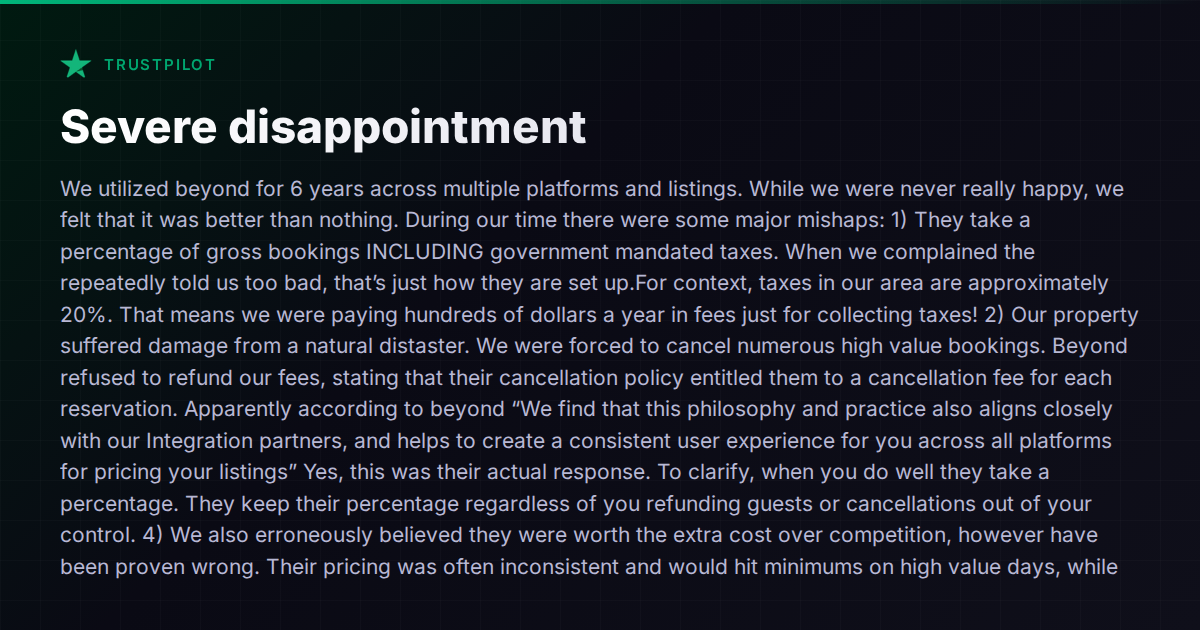
A recent Trustpilot review from a host who used Beyond Pricing for six years lays out the frustration with unusual clarity. Their complaints aren’t unique — they echo patterns you hear across host communities whenever percentage-based pricing tools come up. The issues fall into three buckets: fee structure surprises, cancellation policies that penalize the host, and pricing accuracy that doesn’t justify the cost.
Let’s unpack each one, then look at how the broader pricing-tool landscape handles them.
The Percentage-of-Gross Problem
Beyond Pricing charges a percentage of gross bookings. “Gross” means the total the guest pays — including cleaning fees and, critically, government-mandated taxes. In areas with 15–20% tax rates, that means the host is paying a percentage on money they never keep. For this particular host, the math worked out to hundreds of dollars a year in fees generated purely by tax collection.
This isn’t a bug. It’s how the fee model is designed. And it’s one of those details that’s easy to overlook during onboarding but becomes more painful as your portfolio grows or your local tax burden increases.
The lesson here applies to any tool that prices on a percentage basis: always confirm whether the fee is calculated on the net rate (what you actually receive) or the gross booking total (including taxes, cleaning fees, and platform service fees). The difference compounds quickly across multiple listings and platforms.
Force Majeure Cancellations — Who Absorbs the Cost?
The second issue is more consequential. After a natural disaster forced the host to cancel multiple high-value reservations, Beyond Pricing refused to refund the fees, citing their cancellation policy. In their response, the company framed this as alignment with their integration partners’ practices.
From the host’s perspective, this is a tool charging fees on revenue that was never earned and never will be. From the vendor’s perspective, the pricing engine did its job — it set the rate, the booking was confirmed, and the cancellation was outside their control.
Both sides have a point, but this highlights an important due-diligence question that most hosts skip: What happens to my fees when a booking is cancelled through no fault of my own? Hurricane, wildfire, burst pipe — it doesn’t matter. If your pricing tool charges on booking creation rather than on completed stays, you’re paying for work that didn’t generate revenue.
Some tools handle this differently. PriceLabs, for example, charges a flat monthly fee per listing rather than a percentage of revenue. Wheelhouse offers both flat-fee and percentage models. When fees aren’t tied to booking volume, the cancellation question simply doesn’t arise.
When the Pricing Engine Underperforms
The third complaint — and arguably the most damaging — is that Beyond Pricing’s recommendations were inconsistent. The host reported that pricing would hit minimums on high-demand dates (holidays, weekends) while failing to capture premium rates when the market supported them.
This is the central promise of any dynamic pricing tool: it should outperform what you’d do manually. When it doesn’t — when it floors at your minimum on New Year’s Eve or doesn’t spike for a major local event — the percentage fee starts to feel like a tax on mediocrity.
Every pricing tool will have misses. Market data is imperfect, algorithms have blind spots, and local events aren’t always captured in the data feeds. The question is how much control the host retains to override, set guardrails, and monitor performance.
How the Landscape Handles These Pain Points
The dynamic pricing market has matured significantly. Here’s how the major players compare on the specific issues raised:
PriceLabs is the most commonly recommended alternative in host communities, largely because of its flat monthly pricing (starting around $20–30/listing/month depending on volume). No percentage of bookings, no fee on cancellations. It offers granular control over minimum/maximum prices, last-minute discounts, and event-based adjustments. The trade-off is a steeper learning curve — PriceLabs gives you a lot of dials to turn, and it expects you to turn them.
Wheelhouse offers a choice between a percentage model (roughly 1% of bookings) and a flat monthly fee. The flexibility is appreciated, though some hosts report that the recommendation engine can be conservative compared to PriceLabs.
Beyond Pricing remains popular with hosts who want a set-it-and-forget-it experience, but as this review illustrates, the percentage-of-gross model and rigid cancellation policy become pain points at scale or during disruptions.
Several PMS platforms also bundle pricing tools. Hostaway includes dynamic pricing features and integrations with third-party pricing engines. Lodgify offers built-in pricing tools alongside its channel management. Guesty integrates with multiple pricing providers, giving operators the flexibility to choose their preferred engine while keeping everything in one dashboard.
The bundled approach has pros and cons. On the pro side, pricing data flows directly into your PMS without middleware. On the con side, bundled pricing tools are rarely as sophisticated as dedicated engines — they tend to offer fewer customization options and less granular market data.
What to Ask Before Committing to Any Pricing Tool
Whether you’re evaluating your first dynamic pricing tool or reconsidering your current one, these questions will save you from the most common regrets:
- Is the fee calculated on net revenue or gross bookings? If gross, does it include taxes and cleaning fees?
- What happens to fees on cancelled reservations? Are they refunded, credited, or forfeited?
- How much manual control do I retain? Can I set per-listing minimums, maximums, event overrides, and last-minute adjustments?
- How does the tool handle local events and demand spikes? Is it pulling from a broad data set, or is it limited to OTA comps?
- What does the performance reporting look like? Can I see what the tool recommended vs. what actually booked, and compare to market benchmarks?
- Is there a flat-fee option? As your portfolio grows, a percentage model can cost significantly more than a flat fee for equivalent (or inferior) performance.
The Bigger Picture: Pricing Is Just One Layer
Dynamic pricing doesn’t exist in isolation. It interacts with your channel distribution, your minimum-stay rules, your cleaning turnaround windows, and your guest communication timing. A pricing tool that recommends a perfect rate is useless if your channel manager doesn’t sync it in time, or if your operations can’t support a same-day turnover that the pricing engine assumed.
This is where the argument for integrated platforms becomes compelling. When your pricing, calendar, operations, and messaging share the same data layer, adjustments in one area can propagate intelligently to others. Vanio AI, for example, takes this further by giving its AI agent native access to reservations, tasks, payments, and guest communication in a single system — so pricing decisions are informed by operational reality, not just market comps.
But integration isn’t free either. Dedicated pricing tools like PriceLabs invest all their R&D into one problem and tend to have deeper market data and more granular controls than any bundled solution. The right answer depends on your scale, your technical comfort level, and how much time you’re willing to spend tuning.
Where to Go From Here
If you’re re-evaluating your pricing stack, start by auditing what you’re actually paying. Pull your last 12 months of pricing-tool fees and compare them against a flat-fee alternative at your current volume. The math often surprises people.
Then test. Most pricing tools offer trials or money-back periods. Run two tools side-by-side on different listings for a quarter and compare actual booked revenue, not just recommended rates.
For a broader look at how pricing fits into the full PMS landscape, our comparison hub covers the major platforms and where they overlap with dedicated pricing solutions.