When Your Dynamic Pricing Tool Becomes the Problem: Stuck Trials, Silent Support, and the Real Cost of Pricing Integrations
Trustpilot
TL;DR: Author is trying to cancel their PriceLabs trial but can't fix stuck calendar settings, faced days-long API support delays, and feels the high cost doesn't deliver value.
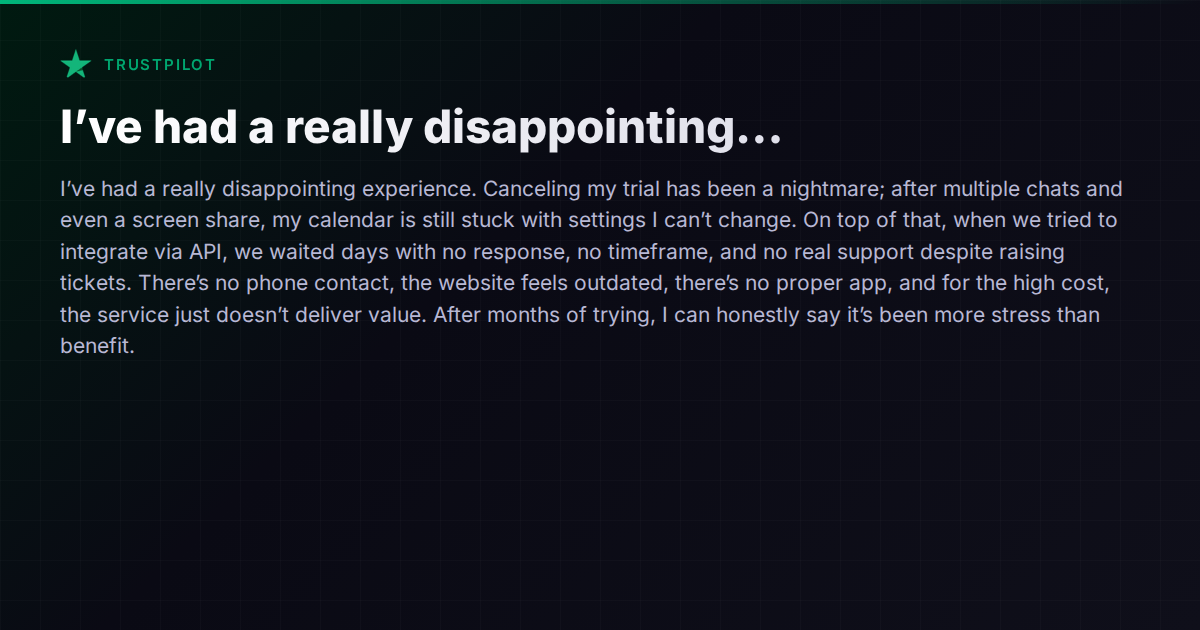
A host recently left a two-star Trustpilot review for PriceLabs that reads like a case study in friction. They tried to cancel a trial, but after multiple chats and even a screen share, their calendar was still stuck with settings they couldn’t change. When they attempted an API integration, tickets went unanswered for days — no timeline, no phone support, no resolution. After months of trying, they concluded the tool had created more stress than value.
This isn’t a one-off rage post. It touches on a pattern that short-term rental operators hit repeatedly: dynamic pricing tools that promise revenue optimization but deliver operational headaches when something goes wrong.
The Pricing-Tool Trap
Dynamic pricing is one of the first things hosts automate, and for good reason. Setting nightly rates manually across multiple listings and channels is tedious, error-prone, and leaves money on the table. Tools like PriceLabs, Wheelhouse, and Beyond (formerly Beyond Pricing) have built real businesses solving this problem.
But here’s the catch: a pricing tool sits in a critical path between your property management system and your booking channels. When it works, you barely notice it. When it doesn’t — when a trial leaves orphaned settings on your calendar, when an API integration stalls, when support goes quiet — you’re stuck with pricing you don’t control on listings that are live.
The host in this review described exactly that scenario: calendar settings they couldn’t change even after cancellation. That’s not a minor UX annoyance. That’s potentially wrong prices going out to Airbnb or Booking.com while you scramble to get someone on a chat widget.
What Goes Wrong With Pricing Integrations
Several failure modes come up repeatedly in host forums and review sites:
-
Sticky settings after cancellation. When you disconnect a pricing tool, your PMS or OTA may retain the last-pushed prices, minimum-night rules, or availability restrictions. If the tool doesn’t cleanly revert your settings — or if the cancellation flow doesn’t walk you through what to reset manually — you inherit a calendar that doesn’t match your intentions.
-
API integration delays. Many pricing tools rely on API connections to your PMS or channel manager. If you’re using a less common PMS, or if the integration is newer, getting connected can involve back-and-forth with support teams on both sides. Days-long waits aren’t unusual, especially with smaller vendors.
-
No escalation path. Chat-only support works fine for quick questions. It breaks down when you have a complex integration issue that requires someone with API access or backend knowledge. The lack of phone support — common among pricing tools — means you’re stuck in an async loop when you need a real-time fix.
-
Opaque pricing relative to value. Dynamic pricing tools typically charge either a percentage of booking revenue or a flat per-listing fee. When the tool is working and clearly boosting occupancy or ADR, that fee feels justified. When you’re spending hours debugging integration issues, the ROI math flips fast.
How the Major PMS Platforms Handle Pricing
The question many operators reach after a bad pricing-tool experience is: can my PMS just handle this?
The answer depends on your platform.
Guesty integrates with several third-party pricing tools (PriceLabs, Wheelhouse, Beyond) and also offers its own revenue management features. The upside is that their integrations are well-established; the downside is that you’re still managing a separate tool with its own subscription and support.
Hostaway similarly connects with external dynamic pricing providers and includes its own pricing and discount configuration — weekly/monthly discounts, special offers, and bulk editing. For operators who want basic pricing rules without a separate tool, Hostaway’s built-in options may be sufficient.
Lodgify offers real-time syncing and integrations with pricing tools, though specifics on their native pricing capabilities are lighter. Their focus is more on the booking and website side.
Hospitable includes dynamic pricing tools in its platform, letting hosts set pricing strategies without necessarily needing an external provider. For operators whose pricing needs are straightforward — base rates, weekend adjustments, seasonal patterns — this can eliminate the integration headache entirely.
The trade-off in all of these cases is flexibility versus simplicity. Dedicated pricing tools like PriceLabs offer more granular market-data-driven algorithms. Built-in PMS pricing features are simpler but may lack the depth that data-driven operators want.
When the Real Problem Is Tool Sprawl
The deeper issue this review surfaces isn’t really about PriceLabs specifically. It’s about what happens when your operational stack is a chain of loosely connected tools, each with its own support team, its own API quirks, and its own cancellation gotchas.
A pricing tool pushes rates to your channel manager. Your channel manager syncs to your OTAs. Your messaging tool pulls reservation data from your PMS. Your lock-code tool reads check-in times from your calendar. Each link in the chain is a potential failure point — and when something breaks, you’re playing phone tag between three vendors who all say the problem is on someone else’s end.
Vanio AI takes a different architectural approach by building pricing, calendar management, channel syncing, and operational tools into a single system. Because the AI agent has native access to the calendar, reservations, and channel connections, there’s no external pricing tool to disconnect or debug. Per-date price overrides, minimum-night rules, weekend pricing, and per-channel markups live in the same system that manages your guest communication and operations. That eliminates one entire category of integration risk — though operators who want the deep market-data algorithms of a dedicated pricing tool may still prefer a specialized provider.
What to Do If You’re Stuck Right Now
If you’re in the situation this reviewer described — stuck with settings you can’t change after trying to disconnect a pricing tool — here’s a practical checklist:
-
Check your OTA dashboards directly. Log into Airbnb, Booking.com, and VRBO and verify what prices and availability rules are actually live. Don’t assume your PMS view is accurate.
-
Revoke API access. In your PMS settings, look for connected apps or API integrations and revoke the pricing tool’s access. This stops it from pushing new data even if the “cancellation” on the tool’s side didn’t cleanly disconnect.
-
Manually reset critical settings. Minimum-night rules, availability windows, and base prices may need to be manually corrected after disconnection. Document what the tool was managing so you know what to check.
-
Escalate in writing. If chat support isn’t resolving the issue, send a detailed email with screenshots to the billing or support email address. Reference specific ticket numbers and dates. Written escalations tend to get routed differently than chat queues.
-
Evaluate whether you need the tool at all. Many hosts adopt dynamic pricing early and never revisit whether their PMS’s native pricing features have caught up. Before re-subscribing or switching to another pricing tool, check what your current platform can do natively.
The Honest Trade-Off
Dynamic pricing tools genuinely help operators who manage enough listings, in competitive enough markets, to benefit from algorithmic rate optimization. But the value only materializes when the integration is clean, support is responsive, and the cancellation path works as expected.
If you’re evaluating pricing tools or recovering from a bad integration experience, the key questions are: How tightly does this tool integrate with my PMS? What happens to my calendar if I disconnect? And can I reach a human who can fix things when the API breaks?
For a broader look at how different property management platforms handle pricing, channel management, and the integration landscape, the comparison hub covers the major options side by side.