When Dynamic Pricing Goes Wrong: Why Syncing Failures and Price Overrides Cost You Bookings
Trustpilot
TL;DR: Host is furious at PriceLabs for ignoring price range maximums, failing to sync price changes, not reflecting channel markups, and causing zero bookings due to inflated pricing.
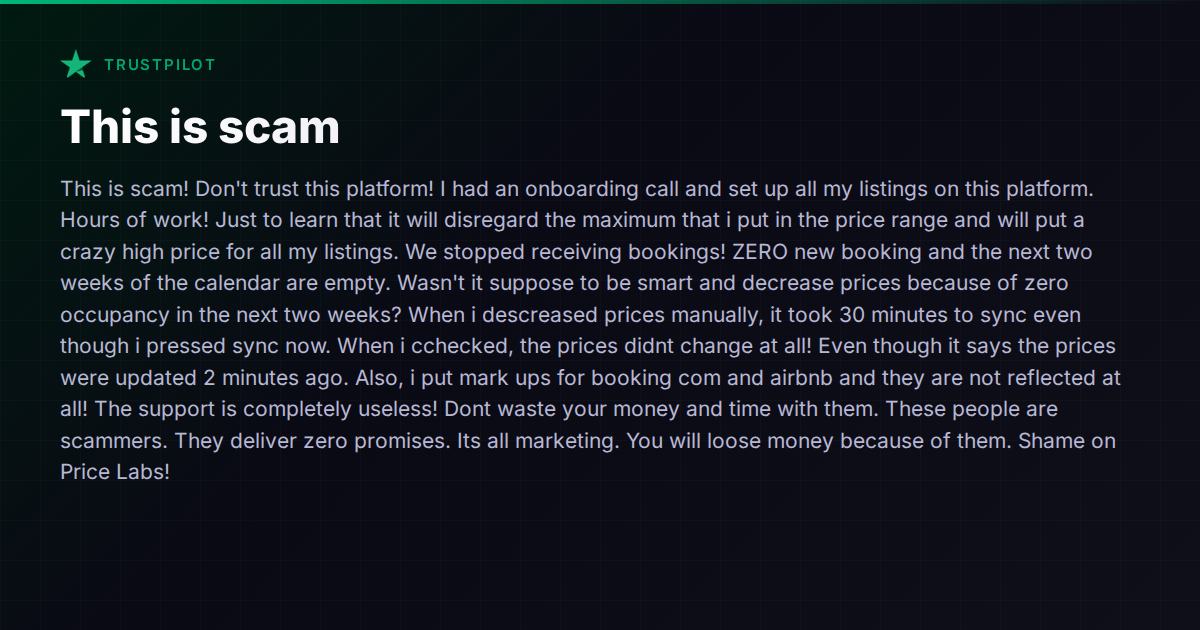
Few things are more alarming than watching your calendar go blank after connecting a new tool that was supposed to fill it. One host recently described exactly this scenario in a Trustpilot review of PriceLabs: after hours of onboarding and configuration, the platform ignored their maximum price settings, pushed rates far above what the market would bear, and failed to sync corrected prices back to the channels. The result was zero new bookings and two weeks of empty calendar.
This isn’t just a PriceLabs problem. It’s a structural risk that comes with any dynamic pricing tool — and it’s worth understanding what goes wrong, why, and how to protect yourself regardless of which platform you use.
The Three Failure Modes
The host’s experience neatly illustrates the three most common dynamic pricing failures:
1. Price Caps That Don’t Hold
Every reputable pricing tool lets you set minimum and maximum rate boundaries. But the implementation varies. Some tools treat caps as hard limits; others treat them as “suggestions” that the algorithm can override when it detects high demand. If you set a $250 max and the tool decides New Year’s Eve is worth $600, your listing sits there overpriced while competitors fill up.
The root cause is often a misunderstanding of how the tool’s settings interact. Some platforms have both “base price” and “price range” controls, and the algorithm may adjust the base price before applying the cap — or the cap may apply to the base but not to fees and markups stacked on top. The documentation is rarely as clear as it should be.
2. Sync Delays and Phantom Updates
The host reported pressing “sync now” and seeing a confirmation that prices were updated — but finding the actual channel listing unchanged 30 minutes later. This is a known pain point across the pricing-tool ecosystem. The chain from pricing tool → PMS or channel manager → OTA involves multiple API calls, each with its own queue and rate limits. Airbnb and Booking.com throttle bulk price updates, especially during peak times. A tool can truthfully report that it sent the update while the channel hasn’t processed it yet.
The danger is real: if you’re manually correcting a bad price and the correction doesn’t land, you’re sitting with an overpriced listing and no idea until you go check each channel individually.
3. Channel Markups Not Applying
Many hosts set per-channel markups — adding 15% on Booking.com to offset the higher commission, for example. When those markups don’t apply, your net revenue per booking drops below what you planned. The failure usually happens in one of two places: the pricing tool sends the base price without the markup, or the PMS/channel manager applies its own markup logic that conflicts with the pricing tool’s.
This is especially common in setups where the pricing tool connects directly to channels rather than going through the PMS. Two systems trying to manage the same price field creates a race condition where the last write wins — and it may not be the write you expected.
How the Major Tools Handle This
Dynamic pricing is a specialized niche. The main standalone tools — PriceLabs, Beyond Pricing, Wheelhouse, and DPGO — all face these challenges to varying degrees because they all depend on pushing prices through external systems they don’t control.
PriceLabs is widely used and generally well-regarded for its data depth and customization. But the host’s complaint isn’t unique. Forums are full of reports from operators who found that price caps didn’t behave as expected, or that sync times were longer than advertised. PriceLabs’ strength is granular market data and rule-based customizations; its weakness is the dependency on clean integration with whatever PMS or channel manager sits between it and the OTAs.
Beyond Pricing takes a more opinionated approach with less manual tuning required, but operators report similar sync-lag issues. Wheelhouse offers more control and transparency into why a price was set, which helps when debugging, but doesn’t eliminate the sync chain problem.
Many full-stack PMS platforms now include their own pricing tools or deep integrations:
- Guesty integrates with PriceLabs, Beyond Pricing, and Wheelhouse, and has its own analytics via Guesty Copilot. The advantage is tighter sync since the PMS controls the channel connection directly.
- Hostaway similarly supports multiple pricing integrations and has built-in pricing controls including bulk editing. Because Hostaway owns the channel connection, markup conflicts are less likely than with a standalone tool pushing prices independently.
- Lodgify includes built-in pricing rules and real-time syncing, positioning itself as a simpler alternative to the standalone pricing tools.
- Hospitable offers dynamic pricing tools within its platform, reducing the middleware chain.
The common thread: when pricing lives inside the same system that owns the channel connection, you eliminate an entire layer of sync failures. The trade-off is that built-in pricing engines are usually less sophisticated than dedicated tools like PriceLabs.
What Vanio AI Does Differently
Vanio AI handles per-date price overrides, minimum night rules, and per-channel markups directly in its calendar, with changes pushing to connected channels through its own channel manager. Because pricing, calendar, and channel sync are all part of the same system, there’s no middleware gap where updates can get lost. The per-channel markup is applied at the sync layer, not as a separate configuration in a third-party tool.
That said, Vanio AI is not a dynamic pricing engine in the PriceLabs sense — it doesn’t analyze market comps or algorithmically set nightly rates. If you need machine-learning-driven rate optimization, you’d still pair it with a dedicated pricing tool. The difference is that any manual overrides or caps you set in Vanio AI’s calendar are the canonical source of truth, and they push directly to channels without an intermediary.
Protecting Yourself Regardless of Tool
If you use any dynamic pricing tool, a few practices reduce the risk of the scenario described above:
- Test with one listing first. Don’t onboard your entire portfolio in a single session. Connect one listing, set your caps, and verify the actual published price on each channel before scaling up.
- Set conservative caps initially. Your maximum price should be a hard ceiling you’re comfortable with even in peak season. You can always raise it later.
- Verify after every sync. Don’t trust the tool’s confirmation. Open your actual Airbnb or Booking.com listing in an incognito browser and check the live price.
- Understand the sync chain. Know whether your pricing tool pushes directly to channels or goes through a PMS. If it goes through a PMS, understand which system has authority over the final published price.
- Keep manual override access. Make sure you can always set a price directly on the channel if the tool fails. Don’t let automation be your only lever.
The Bigger Picture
Dynamic pricing tools genuinely work — when they’re set up correctly and the integration chain is clean. The problem is that the setup isn’t as simple as the marketing suggests, and the failure mode (overpriced listings, empty calendars, lost revenue) is severe and immediate. A tool that takes hours to onboard but can tank your bookings in a day has an asymmetric risk profile that operators should take seriously.
The trend in the industry is toward tighter integration — pricing logic moving inside the PMS rather than living in a separate tool. This doesn’t mean standalone pricing tools are going away, but it does mean operators should pay close attention to how many systems sit between “the price I set” and “the price the guest sees.” Every link in that chain is a potential failure point.
For a broader look at how different property management platforms handle pricing, channel sync, and the integrations around them, the comparison hub breaks down the major options side by side.