When Your Dynamic Pricing Tool Opens Your Booked Calendar: The Real Cost of Channel Sync Failures
Trustpilot
TL;DR: Beyond Pricing's calendar sync failure opened already-reserved dates and dropped prices to minimums, causing erroneous bookings, cancellation fees, and loss of Superhost status, with no responsive customer support.
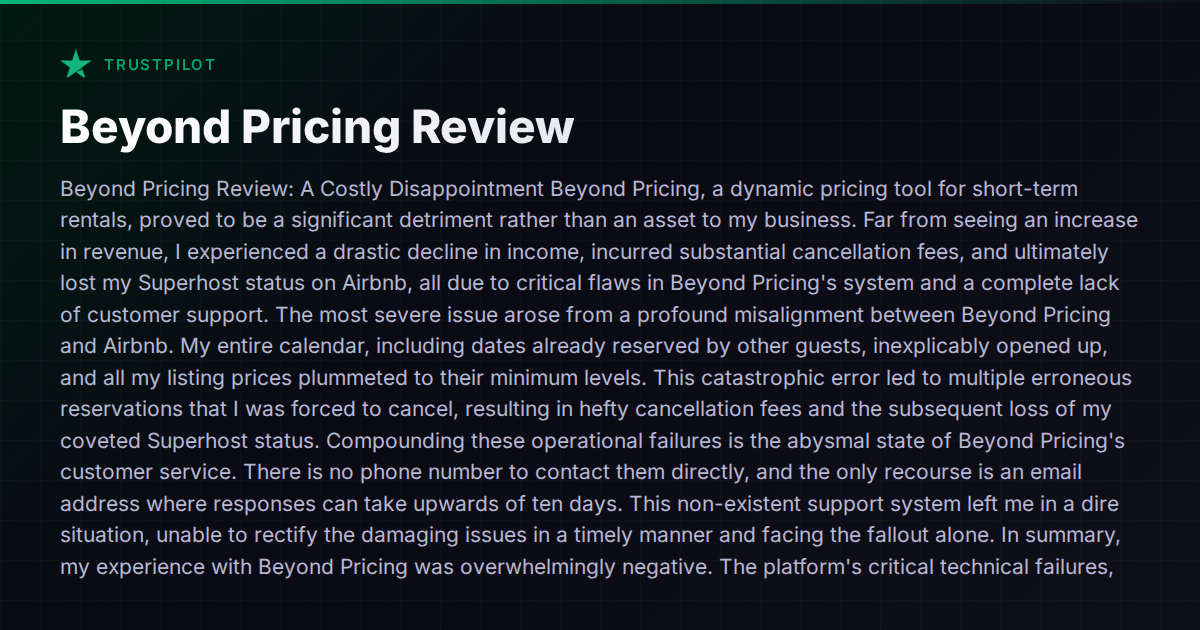
A host recently shared a Trustpilot review detailing what might be one of the more damaging pricing tool failures you can experience: Beyond Pricing somehow opened up already-reserved dates on their Airbnb calendar, dropped all prices to minimums, and generated a wave of erroneous bookings. The host had to cancel those reservations, eat the cancellation fees, and ultimately lost their Superhost status. Customer support? Email-only, with responses taking up to ten days.
This isn’t an isolated story. Dynamic pricing tools and channel managers that manipulate your calendar introduce a single point of failure — and when that failure hits, the consequences cascade fast. Let’s look at what actually goes wrong, what operators can do to protect themselves, and which tools handle this better than others.
The Anatomy of a Calendar Sync Catastrophe
Dynamic pricing tools work by pushing rate and availability changes to your listing platforms. The good ones do this through certified API connections. The risky ones rely on iCal feeds, screen scraping, or poorly maintained integrations that can drift out of sync.
When a sync failure happens in the wrong direction — writing to the platform instead of just reading — you get exactly the scenario described above:
- Blocked dates become available, because the tool’s version of your calendar overwrites the platform’s version
- Prices drop to floor rates, because the tool’s pricing logic fails or resets to defaults
- Guests book at those incorrect rates, creating real reservations with real expectations
- You’re forced to cancel, triggering penalties, fees, and status loss
The financial damage is tangible: cancellation fees on Airbnb can range from $50 to $1,000+ depending on your market and listing type. Losing Superhost status tanks your search ranking for months. And the reputational damage from canceling on guests — even when it’s not your fault — follows your profile.
Why This Problem Is Structural, Not Accidental
The core issue isn’t that one tool had a bug. It’s that most short-term rental operators run a stack of disconnected tools — a PMS here, a dynamic pricer there, a channel manager connecting them — and each tool has its own version of the truth about your calendar.
When these tools disagree, someone loses. Usually it’s the host.
Standalone dynamic pricing tools like Beyond Pricing, PriceLabs, and Wheelhouse push rates to your channels, but they typically don’t own the calendar. Your PMS or channel manager owns the calendar. If the handoff between pricing tool and calendar owner goes wrong — a stale API token, a rate limit, a platform API change — you get ghost availability or wrong prices.
This is the fundamental risk of running a multi-tool stack where no single system has authoritative control over both pricing and availability.
How Different Tools Handle Calendar Authority
Not all setups carry equal risk. Here’s how the landscape breaks down:
Standalone Dynamic Pricing Tools
Beyond Pricing, PriceLabs, and Wheelhouse are pricing engines, not calendar managers. They push suggested or automated rates to your channels. If the connection breaks or misfires, they don’t have the context to detect that they’ve just opened blocked dates or overwritten existing reservations. They’re blind to the downstream impact.
The upside: best-in-class algorithmic pricing. The downside: they’re one more integration point that can fail, and when it does, the blast radius can be severe.
PMS Platforms With Built-In Channel Management
Guesty, Hostaway, and Lodgify each include both a channel manager and some level of pricing tools (or tight integrations with external pricers). Because the PMS owns the calendar and manages the channel connections, there’s less room for a third-party tool to accidentally overwrite availability.
That said, these platforms aren’t immune. Operators on forums have reported sync delays with Hostaway and double-booking incidents with various PMS tools when API connections to Airbnb or Booking.com lag. The difference is that when the PMS is the single source of truth, there’s one throat to choke — and typically faster paths to resolution.
All-in-One Platforms With Native Pricing
Hospitable integrates with dynamic pricing tools and provides its own automation layer. Vanio AI takes a different approach — its calendar, pricing, and channel management all share a single data layer, meaning there’s no handoff between separate systems that can fall out of sync. When the AI adjusts a price or manages availability, it’s operating on the same canonical calendar that controls what guests see across Airbnb, Booking.com, and VRBO. This architectural choice eliminates the class of bug where one system’s calendar overwrites another’s.
Whether that trade-off (integrated pricing vs. best-of-breed algorithmic pricing from a dedicated tool) makes sense for your portfolio depends on how much you value pricing sophistication vs. operational reliability.
The Support Problem Is the Other Half of the Equation
The host’s complaint about Beyond Pricing’s support — email-only, ten-day response times — is a separate but equally important issue. When a calendar sync failure is actively generating bad bookings, you need someone on the other end now, not in ten days.
This is worth evaluating before you commit to any tool:
- Does the tool offer real-time support (live chat, phone) or only async email/ticket systems?
- What’s the actual SLA for critical issues? Not the marketing page — ask other operators.
- Can you manually override the tool’s changes immediately, or are you locked into waiting for a fix?
- Does the platform have automated safeguards — alerts when prices drop below a threshold, or when blocked dates get unblocked?
Guesty advertises 24/7 support, which matters when your calendar is on fire. Hostaway and Lodgify offer varying levels of support responsiveness depending on your plan tier. For standalone pricing tools, the support experience is generally leaner — these are smaller teams with smaller margins.
Protecting Yourself Regardless of Tools
Whichever stack you run, some defensive practices reduce your exposure:
-
Set price floors on the platform itself, not just in your pricing tool. Airbnb and Booking.com both let you set minimum nightly rates directly. This creates a backstop that no external tool can undercut.
-
Enable Airbnb’s “Professional Hosting Tools” notifications so you’re alerted to calendar or pricing changes in real time.
-
Audit your calendar weekly across all channels. Yes, it’s manual. Yes, it catches problems before they become cancellations.
-
Use a PMS as the single source of truth rather than letting multiple tools write to your calendar independently. The fewer systems with write access to your availability, the fewer ways things can go wrong.
-
Document everything when a tool causes financial damage. Airbnb has historically been willing to waive cancellation penalties when hosts can demonstrate the issue was caused by a third-party integration failure — but you need timestamps and screenshots.
The Honest Trade-Off
Dynamic pricing tools exist because they work — operators using algorithmic pricing generally outperform those using static rates. The question isn’t whether to use dynamic pricing; it’s how much integration risk you’re willing to accept in exchange for pricing optimization.
If you’re running a small portfolio (under 10 listings), the simplest approach is often a PMS with built-in channel management and an integrated pricing tool — fewer moving parts, fewer sync points, fewer catastrophic failure modes.
If you’re running a larger operation and need best-in-class pricing algorithms, the standalone tools are hard to beat on pure pricing quality. But you need to pair them with a robust PMS, monitor the connections actively, and have a plan for when (not if) something breaks.
Either way, the lesson from this host’s experience is clear: the tool that manages your calendar is the tool that can destroy your business. Choose it carefully, monitor it relentlessly, and never assume the sync is working just because it worked yesterday.
For a broader comparison of how different platforms handle channel management and pricing, the comparison hub covers the major options side by side.