When Your Channel Manager Gets Rates Wrong: The Real Cost of Booking.com Sync Failures
Trustpilot
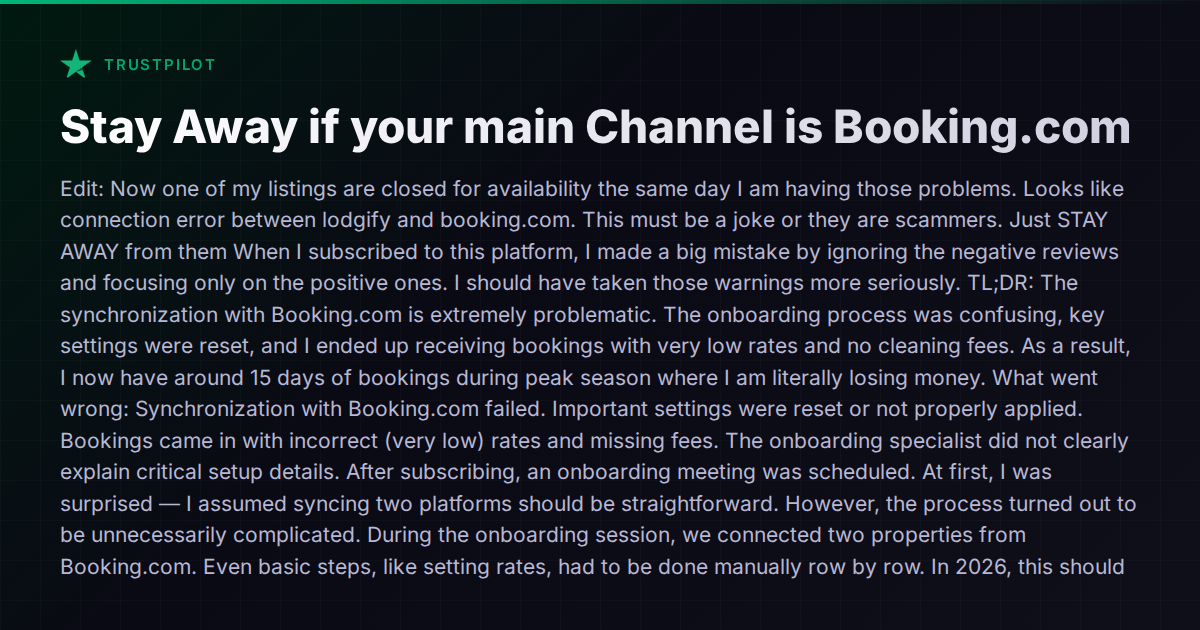
TL;DR: Author lost hundreds of euros because Lodgify's Booking.com synchronization failed to carry over cleaning fees and correct rates after onboarding, resulting in 15 days of peak-season bookings at a loss — and is now experiencing connection errors closing listing availability.
There’s a specific kind of dread that hits when you open your inbox and realize guests have booked your property at rates you never intended to offer — no cleaning fee, base price slashed to something below your break-even. Not because a guest found a coupon, but because your property management software failed at its most basic job: syncing rates and fees to your booking channels.
A host recently shared exactly this experience on Trustpilot after connecting properties to Booking.com through Lodgify. After onboarding, the synchronization failed to carry over cleaning fees and applied incorrect rates. The result: roughly 15 days of peak-season bookings at a loss, totaling hundreds of euros in damage before anyone caught the problem. To make matters worse, a listing’s availability was later closed entirely due to a connection error — during the same period.
This isn’t a one-off horror story. Booking.com sync problems are among the most common complaints across every major PMS and channel manager in the short-term rental space. Understanding why it happens and which tools handle it better can save you from learning the lesson the expensive way.
Why Booking.com Sync Is Harder Than It Looks
Airbnb’s API, for all its quirks, is relatively standardized in how it handles rates, fees, and availability. Booking.com is a different animal. Its system has a layered rate model — room-level rates, occupancy-based pricing, rate plans, derived rates, and fee structures that don’t always map cleanly to what a PMS sends over.
Cleaning fees are a particularly notorious pain point. On Airbnb, a cleaning fee is a simple per-stay charge. On Booking.com, “extra charges” can behave differently depending on how the property type is configured, whether the property uses rate plans or room-rate combinations, and how the connectivity partner has implemented the API. A channel manager that works flawlessly with Airbnb can silently drop cleaning fees on the Booking.com side — and neither the host nor the guest sees the problem until the booking is confirmed.
Add to this the fact that Booking.com connections often require a more involved setup process than other channels. Properties may need to be mapped to specific room types, and rate plans need to be linked correctly. If the initial onboarding doesn’t get this mapping right, everything downstream breaks.
The Onboarding Gap
The Trustpilot review highlights another pattern that comes up repeatedly in host communities: the gap between what the onboarding specialist sets up and what the host understands about that setup.
In this case, the onboarding session configured two properties correctly, but the host wasn’t told which settings had been applied manually versus which would carry over automatically to future listings. When the host connected three additional properties on their own — a completely reasonable thing to do — the rates synced but the fees didn’t. The system reported the sync as “successful.”
This is a design failure, not just a training failure. If a channel manager confirms a sync is complete but doesn’t validate that core financial parameters (rates, fees, minimum stays, tax settings) actually landed correctly on the OTA, the confirmation is worse than useless — it’s actively misleading.
How the Major Platforms Handle This
No channel manager is immune to Booking.com sync issues, but some handle the problem better than others.
Lodgify positions itself as an all-in-one platform with strong direct booking capabilities. Its Booking.com integration works, but as the review illustrates, the rate-and-fee mapping can require manual, row-by-row configuration. For hosts who primarily use Booking.com as their main channel, this friction during setup can have expensive consequences.
Guesty is a certified Booking.com connectivity partner with an enterprise-grade channel manager that handles rate plan mapping at scale. Its strength is in managing complex multi-channel setups for professional operators. However, Guesty’s pricing is opaque (quote-based, no public tiers), and the platform targets larger portfolios — it may be overkill for a host with five listings.
Hostaway also touts “highest-status OTA connections” and integrates with Booking.com, Airbnb, Vrbo, and Google. It offers bulk editing for pricing and services, which can reduce the row-by-row pain described in the review. That said, Hostaway also uses quote-based pricing, making it hard to evaluate cost before committing.
Hospitable focuses on automation and multi-channel sync, with real-time calendar synchronization across Airbnb, Vrbo, Booking.com, and others. Its strength is in automated messaging and task management rather than deep rate-plan configuration. For hosts whose primary concern is Booking.com rate integrity, it’s worth testing the specific fee-mapping behavior during a trial before committing.
Vanio AI is a certified Booking.com connectivity partner with full API integration, including VCC (virtual credit card) handling. Because it’s built as a single system — channel management, pricing, availability, and AI operations share one data layer — the rate sync includes cleaning fees, per-guest fees, and per-date overrides as part of the same pipeline rather than bolting them on separately. Its calendar allows per-date price overrides with per-channel markups, which means you can set Booking.com-specific pricing adjustments directly. The AI layer also introduces something useful here: an Operations Watchdog that runs daily automated monitoring across several categories, including payment anomalies — which could catch a missing-cleaning-fee situation before it spirals into 15 days of losses.
What to Check Before You Connect Booking.com
Regardless of which platform you use, there are steps every host should take when connecting Booking.com through a channel manager:
-
Test with one property first. Don’t connect your entire portfolio in one session. Connect one listing, then verify every rate, fee, and restriction on the Booking.com extranet before proceeding.
-
Cross-check the extranet after sync. Never trust a “sync successful” message at face value. Log into Booking.com’s extranet and manually verify that base rates, cleaning fees, extra guest fees, tax settings, and minimum night requirements all match what you intended.
-
Understand what’s controlled where. Some channel managers take full control of rates (meaning changes must be made in the PMS), while others allow dual-editing (PMS and extranet). Know which mode you’re in. Dual-editing is a common source of overwrite errors.
-
Ask about rate plan mapping during onboarding. If your onboarding specialist doesn’t proactively explain how rate plans, occupancy-based pricing, and fees are mapped to Booking.com, ask directly. If they can’t answer clearly, that’s a red flag.
-
Set up a rate monitoring routine. Check your live rates on Booking.com at least weekly, especially after making any changes in your PMS. Some hosts use incognito browser sessions to view their listings as a guest would.
-
Document your settings. Screenshot your rate configuration in both your PMS and the Booking.com extranet after setup. If something breaks later, you’ll need a baseline to identify what changed.
The Bigger Picture
Channel management is the unglamorous core of running a multi-platform rental business. When it works, you never think about it. When it fails, you lose money on confirmed bookings you can’t cancel without damaging your standing on the platform.
The specific failure described — cleaning fees silently dropped during Booking.com sync — is one of the most common and most costly bugs in this space. It happens across tools, across years, and across operator experience levels. In 2026, it shouldn’t still be this fragile, but it is.
The best defense is a combination of choosing a platform with robust Booking.com integration, verifying every sync manually until you trust the system, and using tools that provide some form of automated monitoring for rate and fee integrity. If you’re evaluating platforms specifically for Booking.com-heavy portfolios, start with the comparison hub at /compare/ to see how the major tools stack up on channel management specifically.
No tool is perfect. But the difference between a minor hiccup and hundreds of euros in losses often comes down to whether the system told you something was wrong before the bookings rolled in.