When Self-Check-In Guests Arrive at 2 AM and Airbnb Sides With Them
Airbnb Community
TL;DR: Superhost lost a $4,344 payout on a 34-night reservation because a self-check-in guest arrived outside the agreed window, the listing wasn't ready, and Airbnb's UI never displayed the check-in end time to the guest — leaving the host with no recourse despite following their own coordination with the guest.
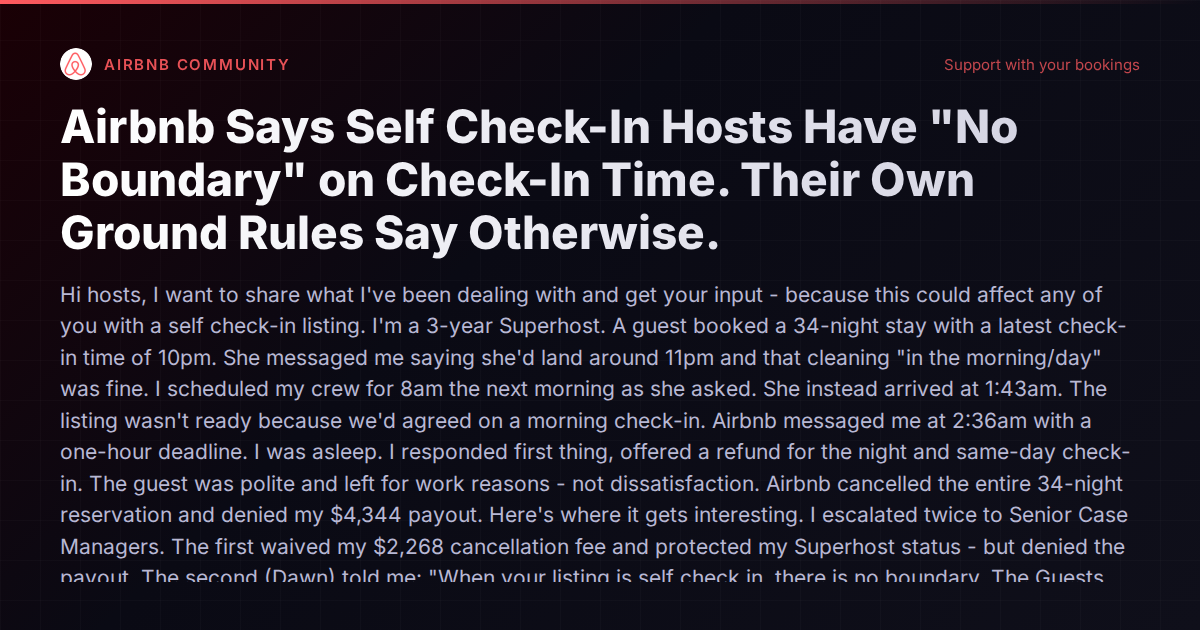
A three-year Superhost recently lost a $4,344 payout on a 34-night reservation because a guest arrived at 1:43 AM — hours after the agreed check-in window — and found the listing wasn’t ready. The guest had messaged ahead that she’d land around 11 PM and that a morning cleaning would be fine. The host scheduled cleaning for 8 AM the next morning accordingly. The guest showed up early anyway. Airbnb cancelled the entire reservation, denied the payout, and told the host that “when your listing is self check in, there is no boundary. The Guests can check in anytime they can.”
This isn’t a one-off story. It exposes a structural problem in how self-check-in listings interact with Airbnb’s UI, support policies, and the tools hosts use to coordinate turnover.
The UI Problem That Makes This Possible
The host discovered something alarming when investigating the denial: regardless of what check-in end time they set in host settings, the guest-facing listing only displayed “check in anytime after 3:00 PM” with no end time shown. They tested this across multiple listings and found the same result every time. The quiet hours fields in the host settings were mislabeled — what should have been quiet hours start and end times were labeled as “Check in start time” and “Check in end time.”
Other hosts in the Airbnb community have reported the same issue. In at least one thread, Airbnb’s own technical team acknowledged it as a potential bug. Yet the bug persists, and hosts continue to lose money because guests never see the check-in window they thought they set.
This is a platform-level failure. Hosts set boundaries in good faith. The platform silently drops half of those boundaries before the guest ever sees them. When the inevitable conflict happens, Airbnb’s support team rules against the host based on what the guest was shown — which was incomplete information the host had no control over.
The Support Gauntlet
The host in this case escalated twice to Senior Case Managers. The first waived a $2,268 cancellation fee and protected their Superhost status — but still denied the payout. The second told them self-check-in means no boundary, period. When the host cited Airbnb’s own Ground Rules for Guests — which state guests should respect the host’s check-in window and should not check in outside that window without prior approval — the case manager couldn’t point to any policy exception for self-check-in listings.
This is a pattern experienced operators know too well. Each escalation introduces a new rationale for the denial without addressing the previous one. The host has been going back and forth for over a week across phone calls, messages, and two senior case managers. The bug has been reported to the product team. No resolution.
Why This Matters for Every Self-Check-In Host
If you offer self-check-in — and most professional operators do, because guests overwhelmingly prefer it — you’re potentially exposed to the same risk in 2026:
- Your check-in end time may not be visible to guests. You think you’ve set a 3 PM–10 PM window; your guest only sees “anytime after 3 PM.”
- Your written message agreements may not protect you. The host had a clear message exchange where the guest agreed to a morning check-in. Airbnb still cancelled the reservation.
- A single early arrival can cost you thousands. The listing wasn’t “not ready” because of negligence. It wasn’t ready because cleaning was scheduled for the time the guest requested. The guest changed plans. The host lost a month of revenue.
The core question the original host asked is the right one: if Airbnb’s position is that self-check-in means guests can arrive anytime with no boundary, what is the point of setting a check-in window at all?
What Can Hosts Actually Do?
There’s no magic solution here, but there are practical steps that reduce exposure.
1. Verify What Guests Actually See
Don’t trust your host settings. Create a test account (or have a friend look) and view your listing as a guest. Check whether your check-in end time actually appears. If it doesn’t, you now know the gap exists and can compensate for it.
2. State Check-In Windows Explicitly in Messages
Put the check-in window in your first message to every guest, in writing, on-platform. “Check-in is available between 3 PM and 10 PM. If you’ll arrive outside this window, please let me know so we can coordinate.” This won’t guarantee Airbnb will honor it in a dispute, but it creates a documented record that’s harder to dismiss.
3. Build Check-In Windows Into House Rules
Airbnb’s house rules are part of the booking agreement. State your check-in window there explicitly: “Self-check-in is available between 3:00 PM and 10:00 PM local time. Arrivals outside this window require advance coordination with the host.”
4. Automate the Coordination Layer
The deeper issue here is that the host was managing check-in coordination manually — exchanging messages with the guest, scheduling the cleaning crew based on those messages, and relying on the guest to follow through. When the guest deviated, there was no automated safety net.
Property management platforms vary in how well they handle this. Hospitable offers automated messaging that sends check-in instructions with timing reminders at key points before arrival. Guesty and Hostaway have similar scheduled-message capabilities that can reinforce check-in windows automatically.
For hosts who want the coordination to extend into lock access, smart lock integrations matter. If your lock code only activates during the check-in window, an early arrival physically can’t enter the unit — which prevents the “guest arrived and found it not ready” scenario entirely. Vanio AI takes this further by tying smart lock code generation directly to the reservation timeline: guest access codes activate at check-in time and deactivate at checkout, with the AI agent coordinating cleaning dispatch, access timing, and guest messaging as a single system. If a guest messages saying they’ll arrive late, the AI can adjust the cleaning schedule and access window in one step without manual intervention.
5. Don’t Rely on Airbnb Support to Fix Platform Bugs
This is the uncomfortable reality. The host has done everything right procedurally — escalated, documented, cited policy, reported the bug. They’re still waiting. Airbnb’s support infrastructure is not designed to handle cases where the platform’s own UI is the root cause of the problem. Bug reports go to product teams that operate on their own timelines. Support agents work from scripts that assume the platform is functioning correctly.
Document everything. Screenshot your settings. Screenshot what the guest sees. Keep all message exchanges on-platform. If you lose a dispute, this documentation is what you’ll need for a credit card chargeback, small claims court, or a formal complaint to your state attorney general’s consumer protection division.
The Bigger Picture
This case illustrates a growing tension in short-term rental operations: hosts are increasingly expected to offer frictionless, self-service experiences while bearing 100% of the risk when those experiences go wrong. The platform sets the rules, controls the UI, mediates the disputes, and holds the money. When the platform’s own interface misrepresents the host’s settings, the host has no recourse built into the system.
The practical response is to build redundancy into your operations. Don’t rely on a single platform’s UI to communicate your policies. Don’t rely on a single message exchange to lock in arrival logistics. Use automated messaging to reinforce check-in windows. Use smart locks to enforce them physically. And document everything as if you’ll need to prove your case to someone who’s never heard of Airbnb.
For a broader look at how different property management tools handle check-in coordination, access control, and guest communication automation, the comparison hub at /compare/ breaks down the options across the major platforms.